Case Study · GTM Buddy
Agentic
Workflow Builder
Build Workflows That Think
An AI-powered workflow builder that helps Sales, CS, and Enablement teams create autonomous workflows using agents and tools that understand context, reason through next steps, and execute tasks automatically.
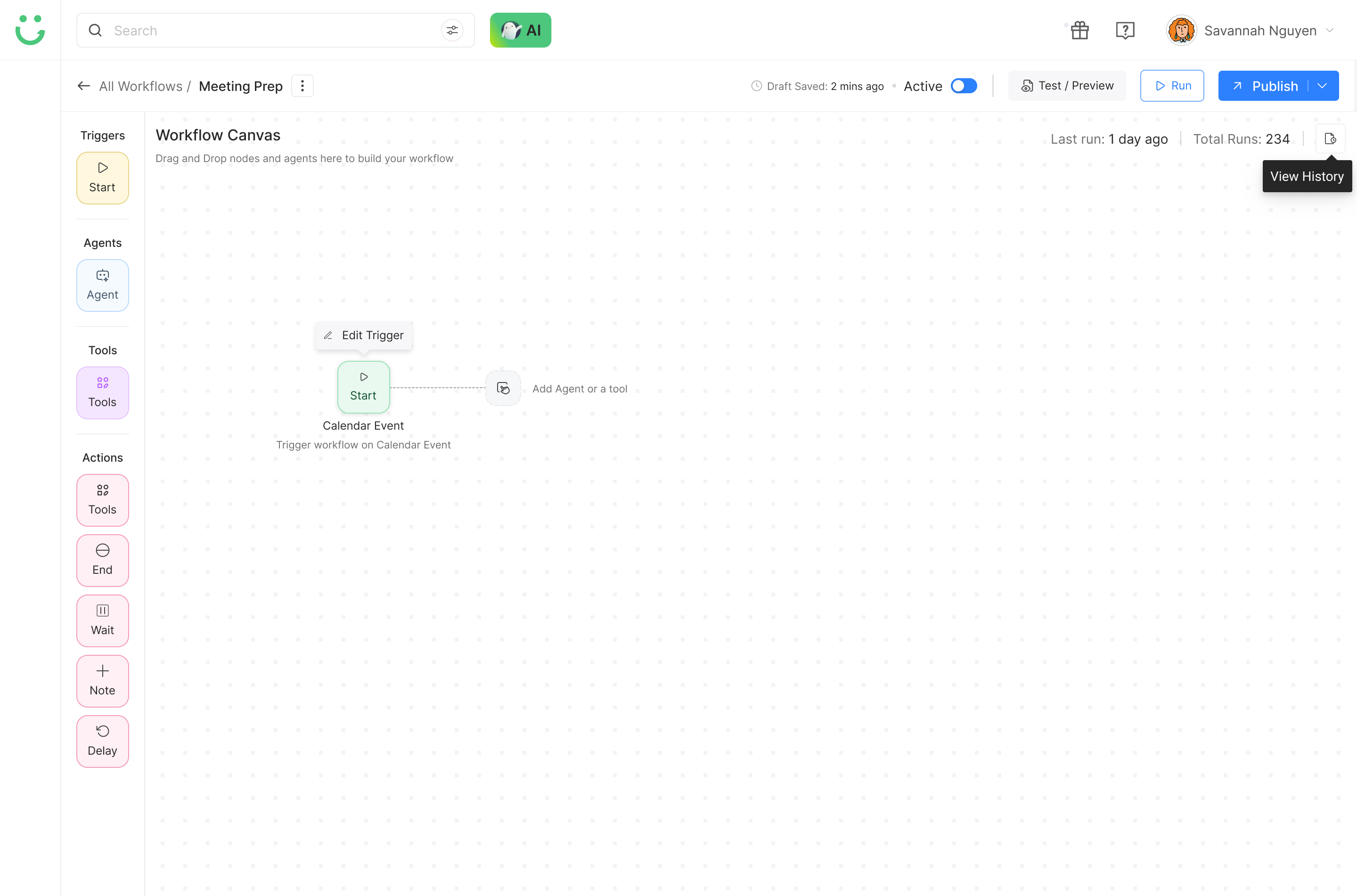
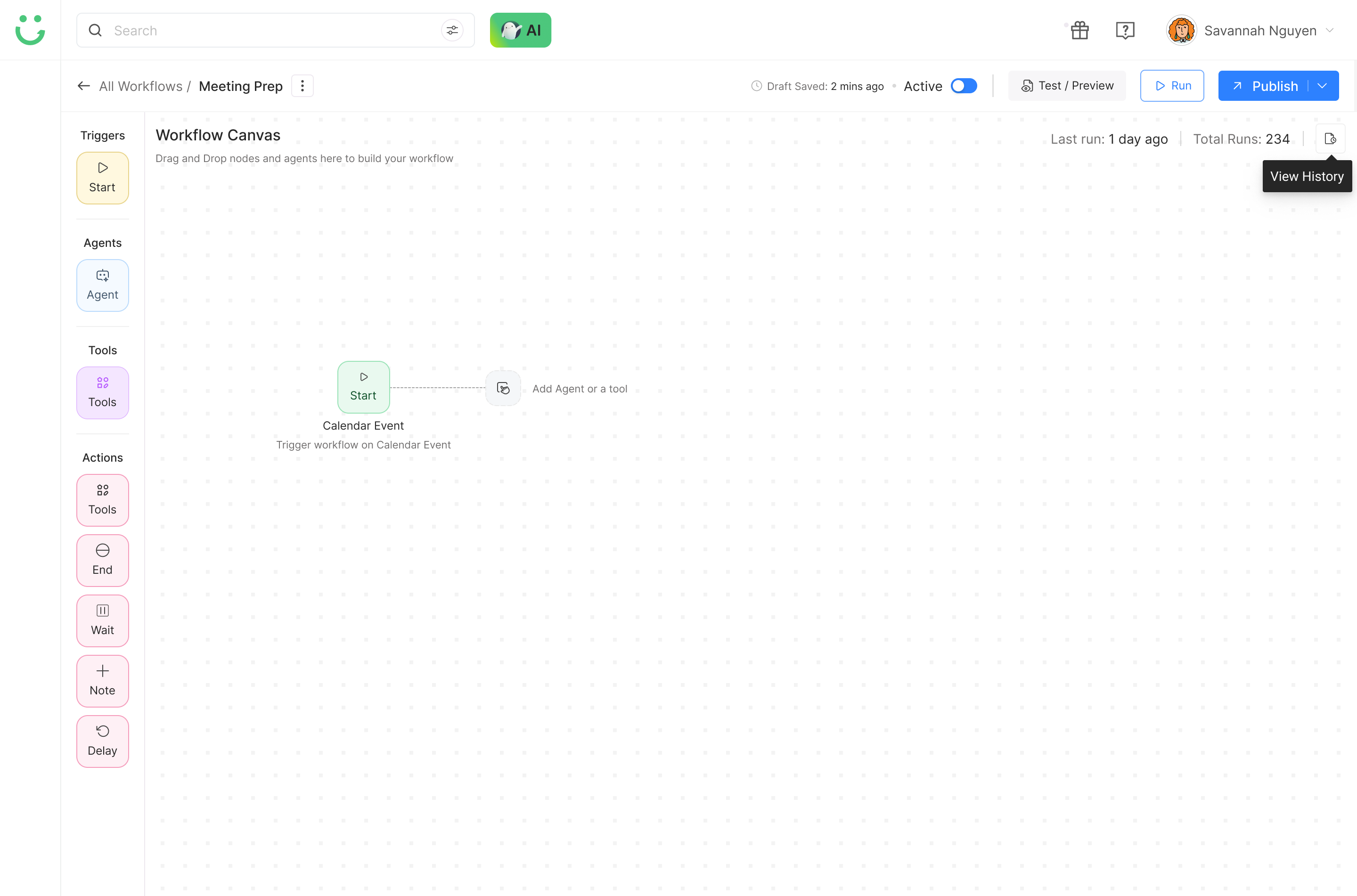
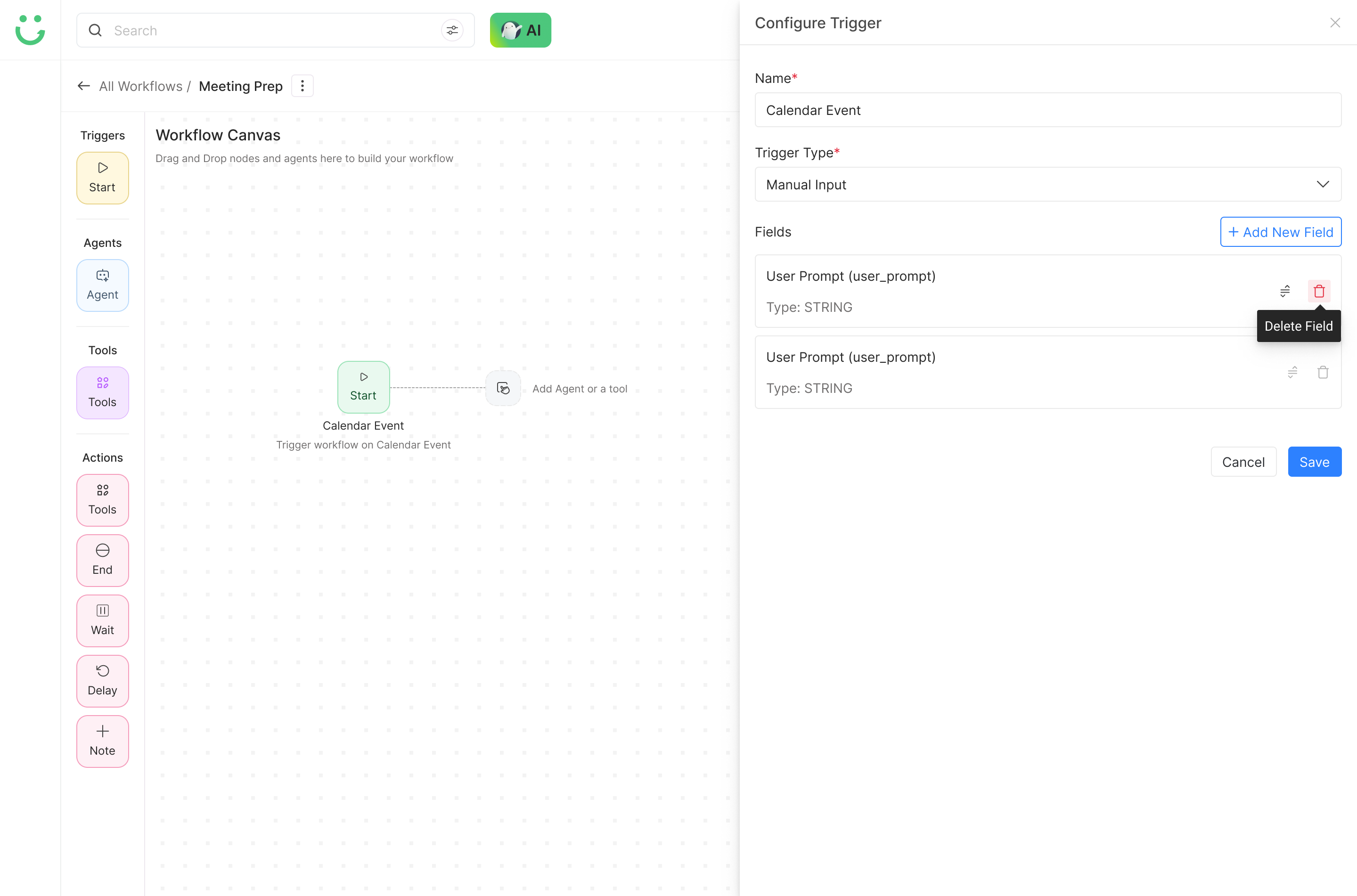
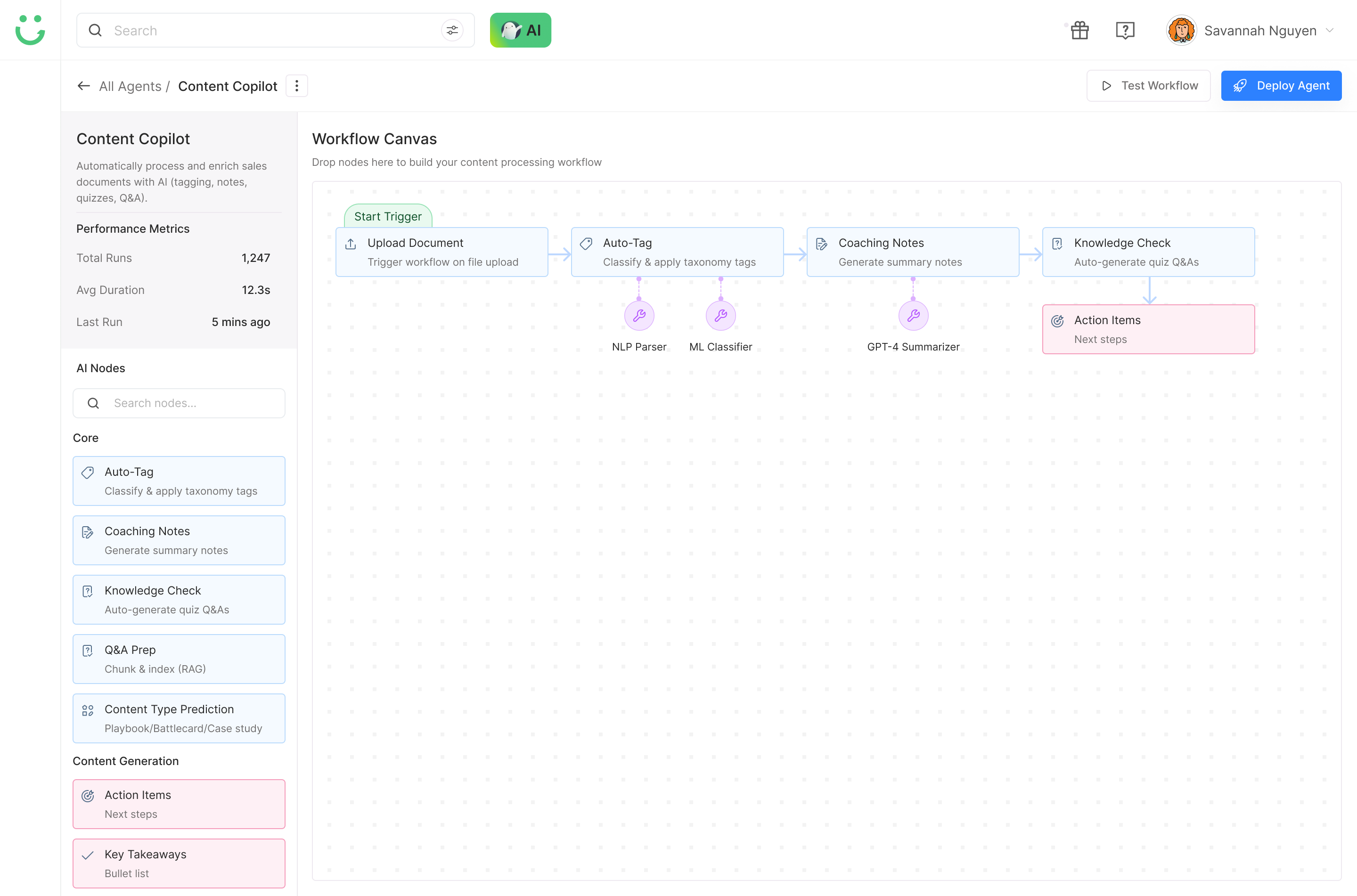
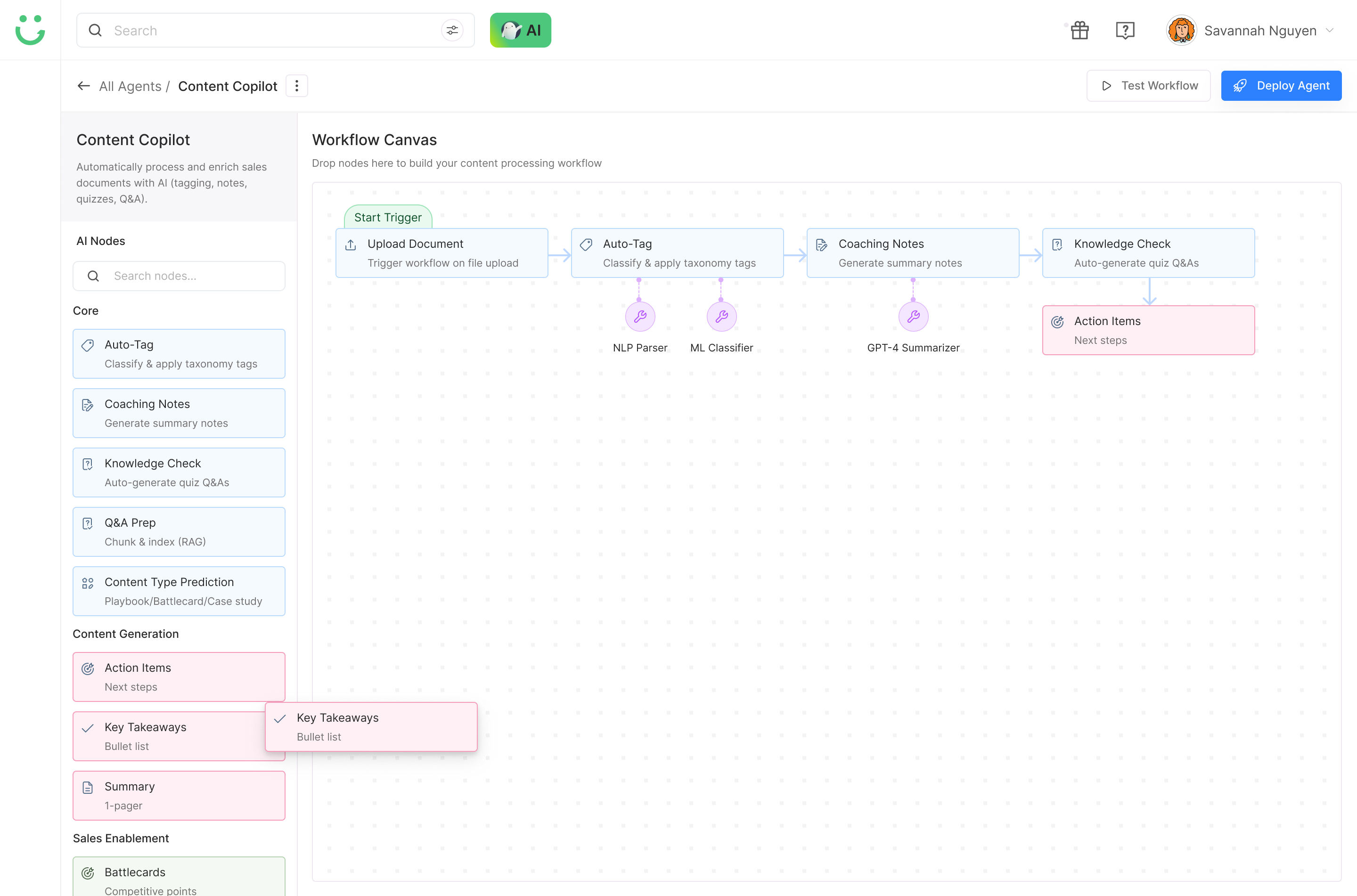
Agentic Workflow Canvas
Overview
Agentic Workflow is an AI-powered system that lets teams build workflows visually or through intent-based input. Users drag and drop agents and tools, while ARE - Autonomous Reasoning & Execution - helps the system understand context, suggest next steps, and execute workflows intelligently.
Build
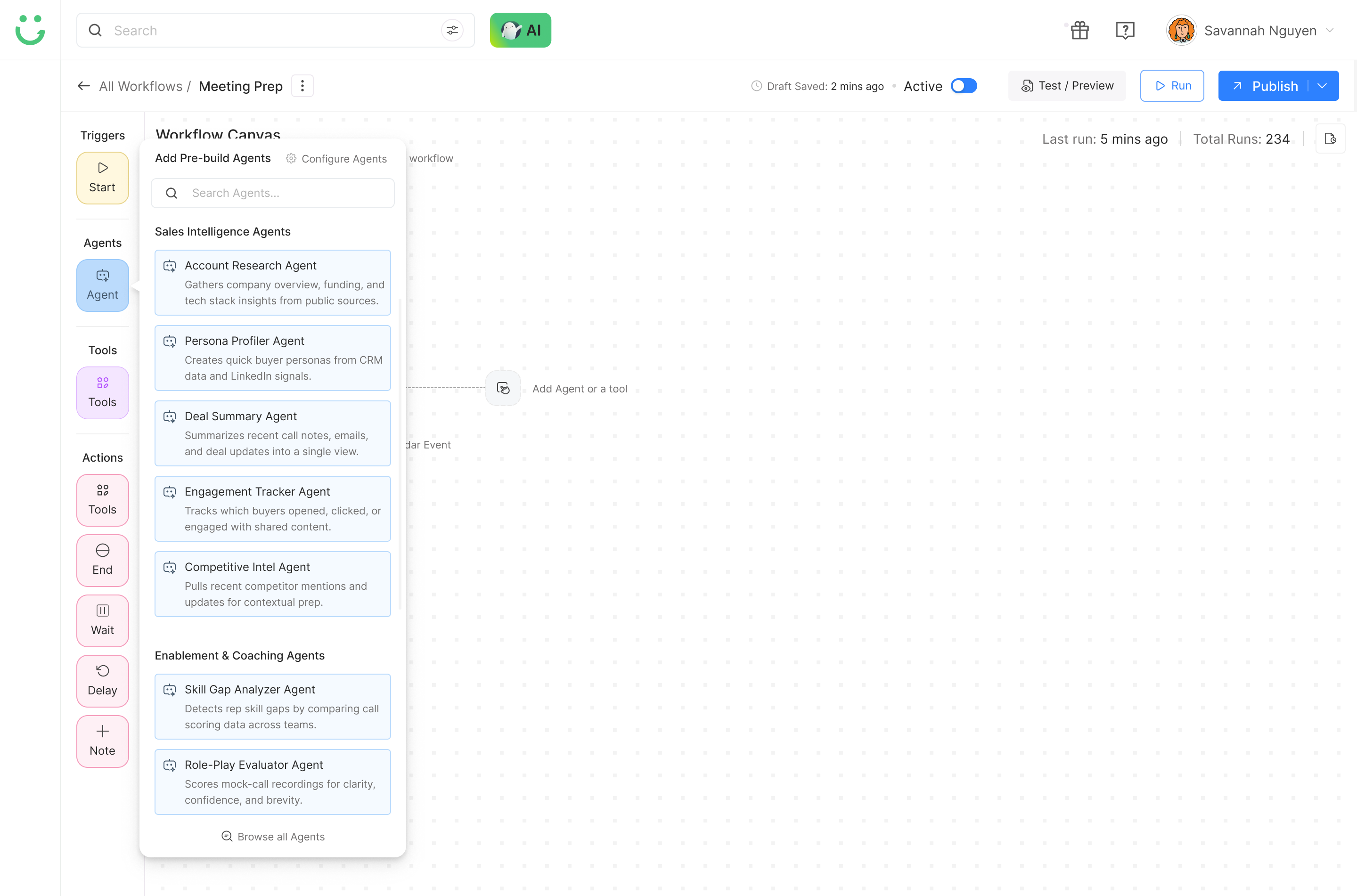
Drag and drop agents and tools onto a visual canvas to compose workflows without engineering dependency.
Understand
AI reads the workflow context to understand intent, data dependencies, and what comes next.
Reason
ARE suggests next steps, resolves ambiguity, and helps users make smarter decisions as they build.
Execute
Workflows run automatically once published - no manual triggering or task handoffs required.
Improve
The system learns from outcomes, surfaces optimization suggestions, and adapts to changing business context.
The Problem
Sales and enablement teams were spending hours creating manual workflows across scattered tools. Existing automation was rigid, hard to scale, and broke the moment processes needed reasoning, adaptation, or context.
Why This Matters
When workflows depend on manual setup, teams lose time, automation becomes fragile, and users need technical help for small changes. For Sales, CS, and Enablement teams, this slows down execution and makes scaling harder.
For Sales Ops
Too much time spent syncing CRM fields, preparing summaries, and fixing broken automations that should run themselves.
For Enablement
Difficult to scale onboarding, content prep, coaching notes, and training workflows without engineering support.
For Customer Success
Follow-ups, onboarding steps, and account health checks remain scattered across tools with no unified flow.
For the Business
Teams move slower because workflows automate actions, but do not reason or adapt when conditions change.
Goals
Visual + Intent-Based Creation
Let users build workflows through drag-and-drop or by describing their goal in plain language.
Reusable Agents and Tools
Create intelligent building blocks that teams can share and reuse across Sales, CS, and Enablement workflows.
ARE as the Core Layer
Introduce Autonomous Reasoning & Execution to help workflows think before they act - not just automate steps.
Adaptive Execution
Move beyond static automation into workflows that adjust based on context, data, and outcomes over time.
Research
I started with product discovery to understand how users currently create workflows, where they get stuck, and what kind of AI assistance would actually help without removing control.
Workflow Builder Audit
Benchmarked Zapier, n8n, Relevance AI, and Airplane.dev to map capability gaps, interaction patterns, and what users praised or complained about in each tool.
User Interviews
Spoke with 15+ users across Product, Sales Ops, and Enablement to surface workflow pain points, mental models around automation, and unmet needs that existing tools couldn't address.
Shadow Sessions
Observed users building workflows manually in HubSpot, Gong, and ChatGPT. This revealed the workarounds, copy-paste habits, and invisible cognitive load that interviews alone couldn't capture.
Heuristic Evaluation
Tested existing GTM Buddy modules against Nielsen's heuristics to identify where cognitive overload occurred, where users lost context, and what conventions needed to carry forward.
What Users Told Me
I get lost trying to connect tools. What if the system could suggest what comes next?
It takes too long to build a workflow from scratch every time.
I want to describe my goal, and the system should figure out the rest.
Competitive Audit
Most workflow tools supported automation, but were either too generic, too technical, or lacked sales enablement context. The opportunity was to create a hybrid builder that combined visual control, natural language input, and AI reasoning.
| Capability | Zapier | n8n | Relevance AI | GTM Buddy Agentic Workflow ✦ |
|---|---|---|---|---|
| Workflow Creation | Strong trigger-action automation, but mostly rule-based. | Flexible visual builder, but more technical for non-technical teams. | AI-first workflow setup, but less focused on enterprise sales workflows. | ✓ Combines visual canvas with intent-based workflow creation. |
| Context Understanding | Executes predefined steps, but does not understand sales context. | Supports logic and conditions, but context must be manually configured. | Can use AI agents, but context depends heavily on setup quality. | ✓ ARE reads workflow context, user intent, data, and business logic before acting. |
| Agent/Tool Selection | Large app ecosystem, but users must know which tool to choose. | Powerful nodes, but discovery can feel overwhelming for new users. | Agent setup is flexible, but requires understanding of AI components. | ✓ Categorized agents and tools guide users toward the right building blocks. |
| Reasoning and Execution | Automates actions, but does not reason through next-best steps. | Can support branching, but logic is entirely manually wired. | Supports AI agents, but reasoning visibility and control are limited. | ✓ ARE reasons, suggests next steps, executes, and adapts the flow. |
| Sales Enablement Fit | Generic automation across many industries. | Generic workflow automation built for technical users. | AI workflow platform, but not deeply sales-enablement specific. | ✓ Designed specifically for Sales, CS, and Enablement workflows. |
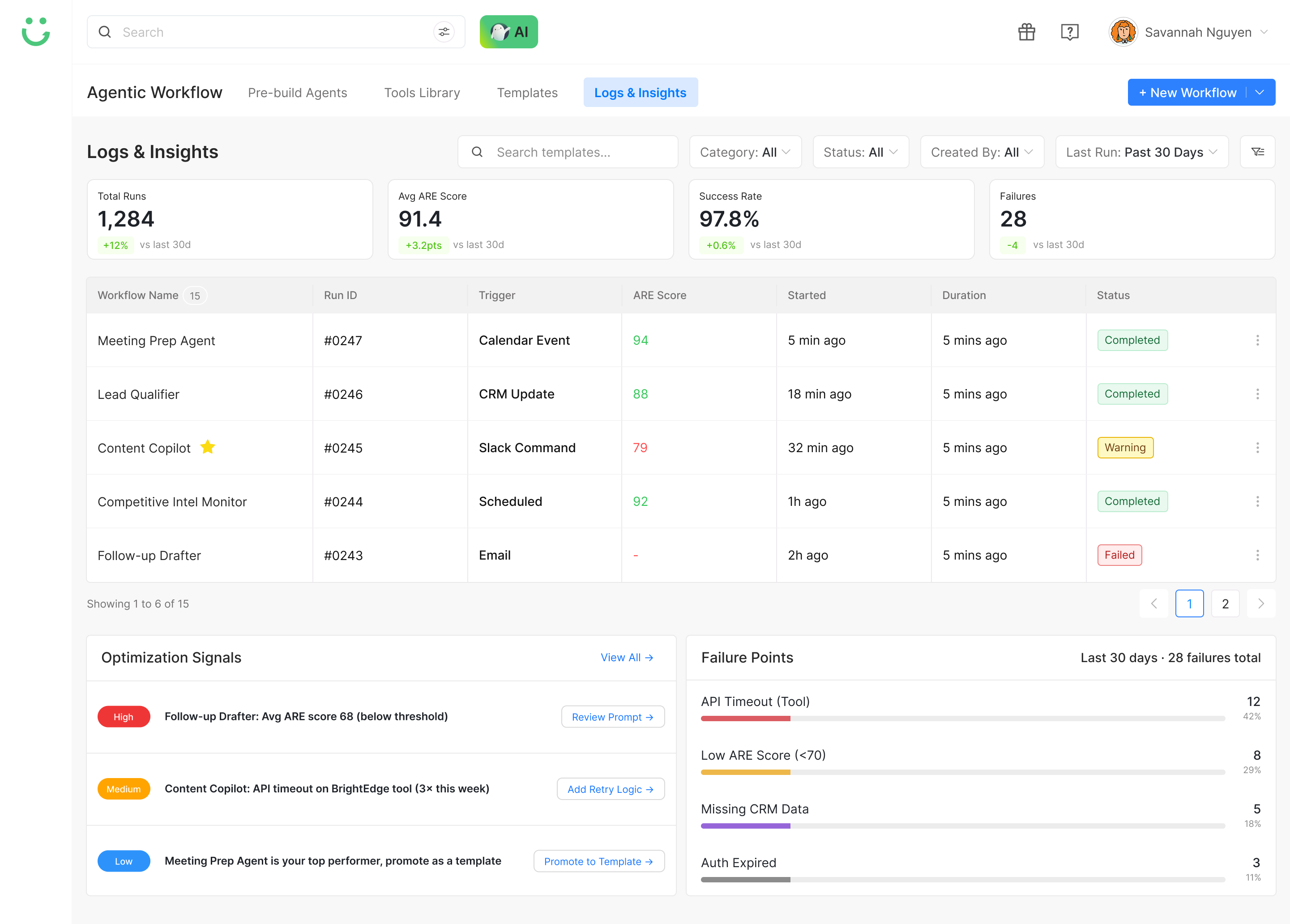
| Visibility and Control | Users can view task history, but not AI reasoning. | Good execution logs for technical users only. | Agent outputs are visible, but reasoning may not be clear. | ✓ Shows workflow status, run history, failure points, and ARE reasoning logs. |
Existing tools solved parts of the workflow problem - automation, visual building, or AI agents. But most were either too generic, too technical, or too dependent on manual setup. GTM Buddy's opportunity was to create a sales-enablement-first workflow builder that combines visual control, natural language intent, contextual recommendations, and autonomous reasoning through ARE.
Personas
Agentic Workflows needed to support the people who create, manage, and benefit from automated sales enablement operations. Each role shaped how the system handled speed, control, visibility, and trust.
Sales Enablement Manager
Core Job
Creates onboarding, coaching, content prep, and learning workflows without depending on Engineering.
Key Need
Build without engineering, automate content prep, see what's running, and scale without adding headcount.
Frustration
Repetitive tasks, rigid workflows, and over-reliance on technical teams for small changes.
Sales Operations Analyst
Core Job
Builds CRM, reporting, meeting prep, and data workflows that need accuracy, visibility, and repeatability.
Key Need
Multi-system automation, agentic reasoning, clear execution logs, and the ability to preview before releasing.
Frustration
Tedious CRM syncing, complex multi-tool workflows, and no way to diagnose failures quickly.
Customer Success Leader
Core Job
Uses adaptive workflows for onboarding, renewals, QBR prep, follow-ups, and account health monitoring.
Key Need
Automated onboarding sequences, context-aware follow-ups, and agentic flows for renewal management.
Frustration
Onboarding scattered across systems, repetitive manual tasks, and no unified view of what's running.
These roles helped define how the builder should suggest steps, automate repetitive tasks, maintain consistency, and support fast execution across teams.
User Journey
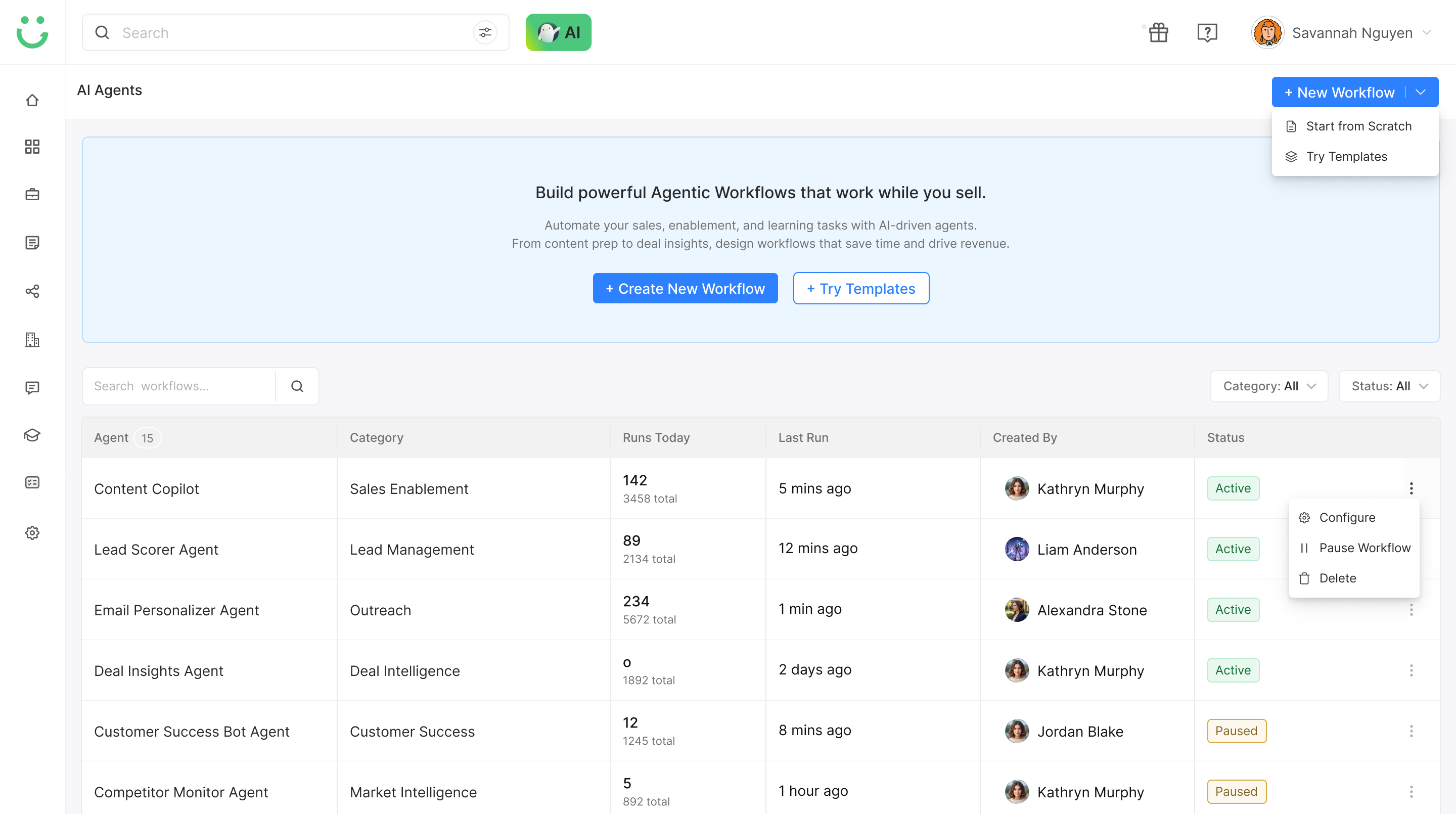
Open workflow listing
Create new or use template
Choose trigger
Add agents and tools
Configure each step
Test and preview
Fix errors
Save and publish
Monitor runs and logs
The journey was designed to reduce blank-canvas anxiety. Users could start from a template, build visually, test safely, and understand what happened after the workflow ran - without needing a technical background.
Information Architecture
The IA was structured around how users move from intent to execution: define the workflow goal, choose triggers, add agents and tools, configure logic, test safely, and monitor what happened after launch.
Design Decisions
Other Design
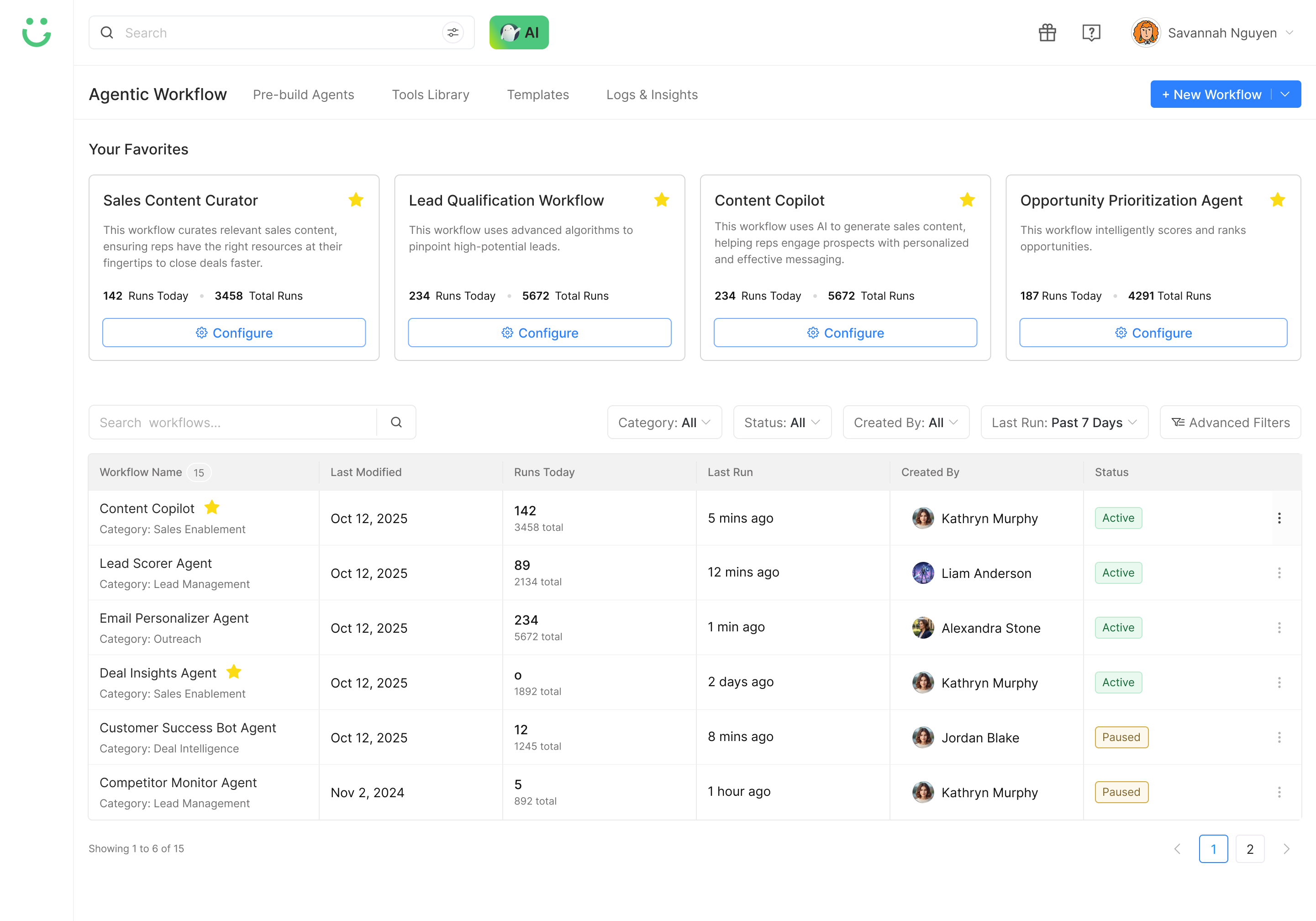
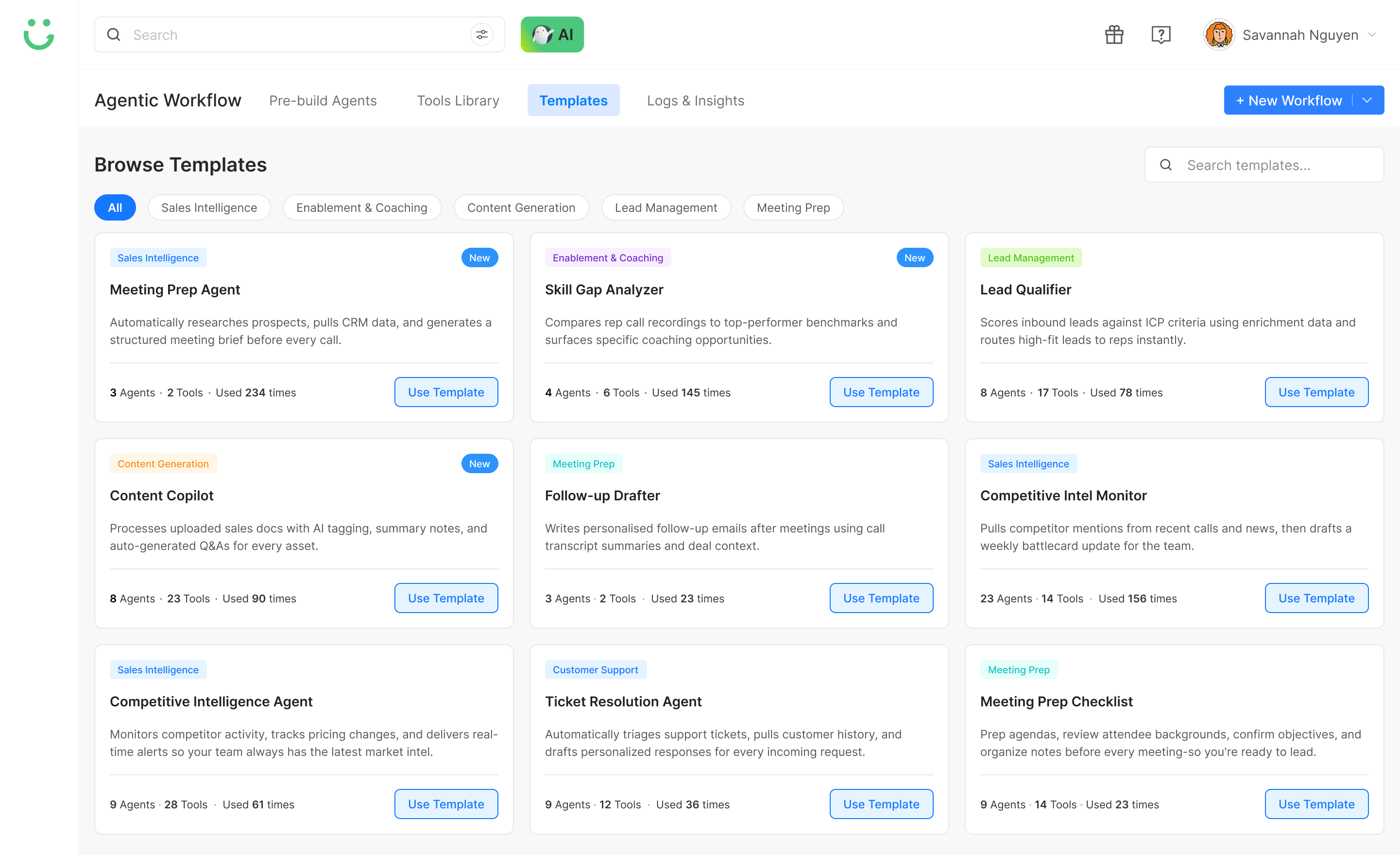
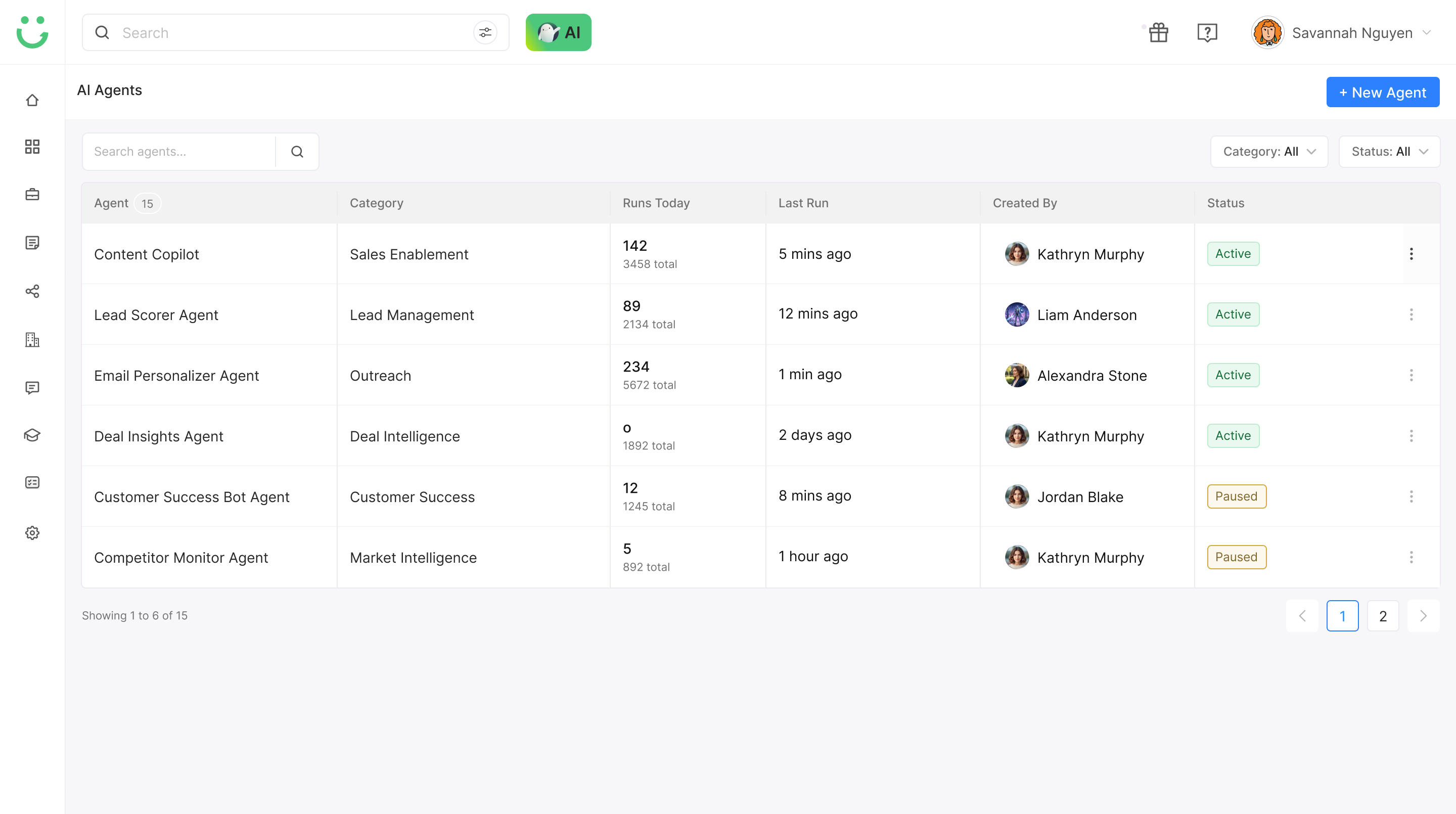
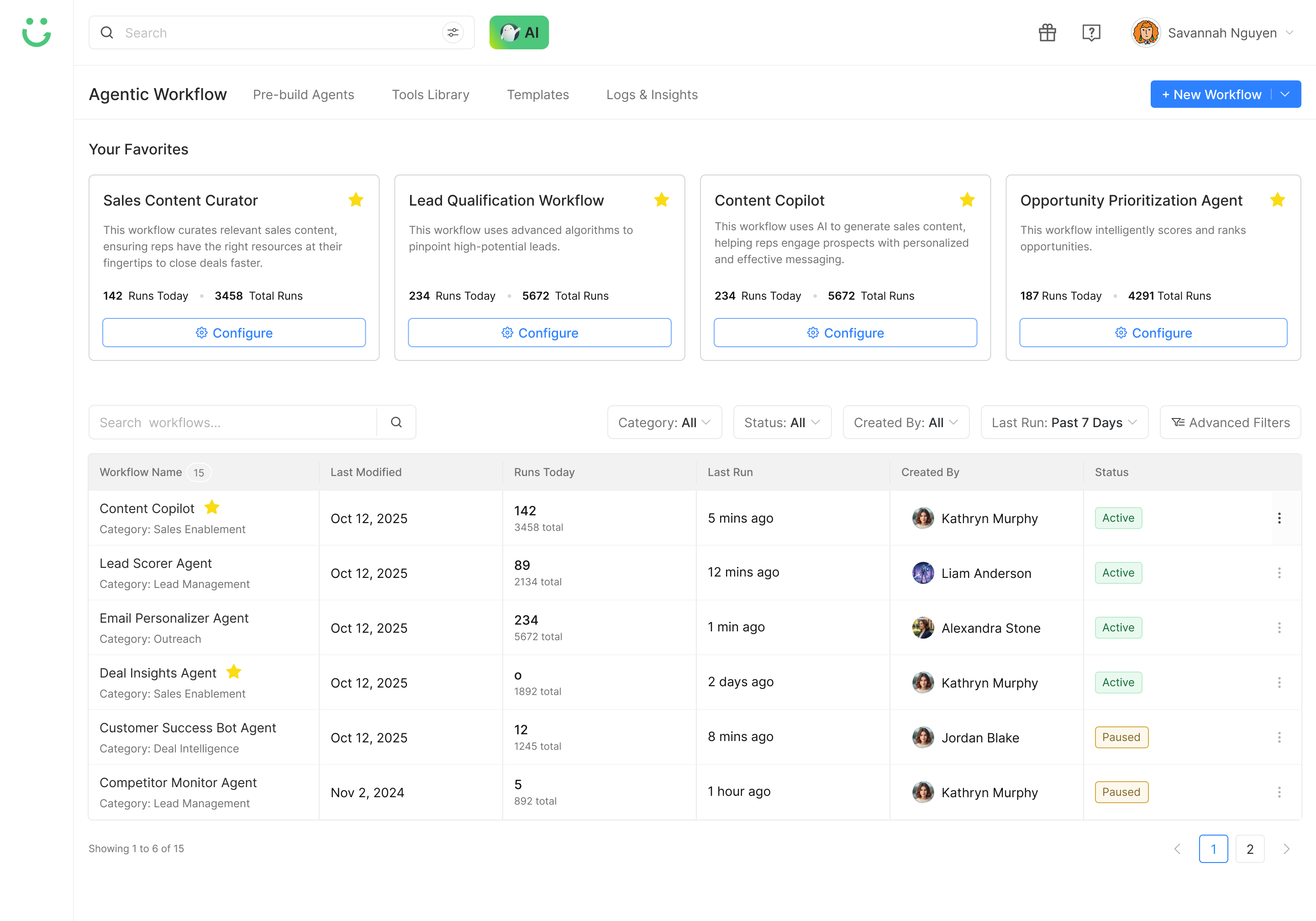
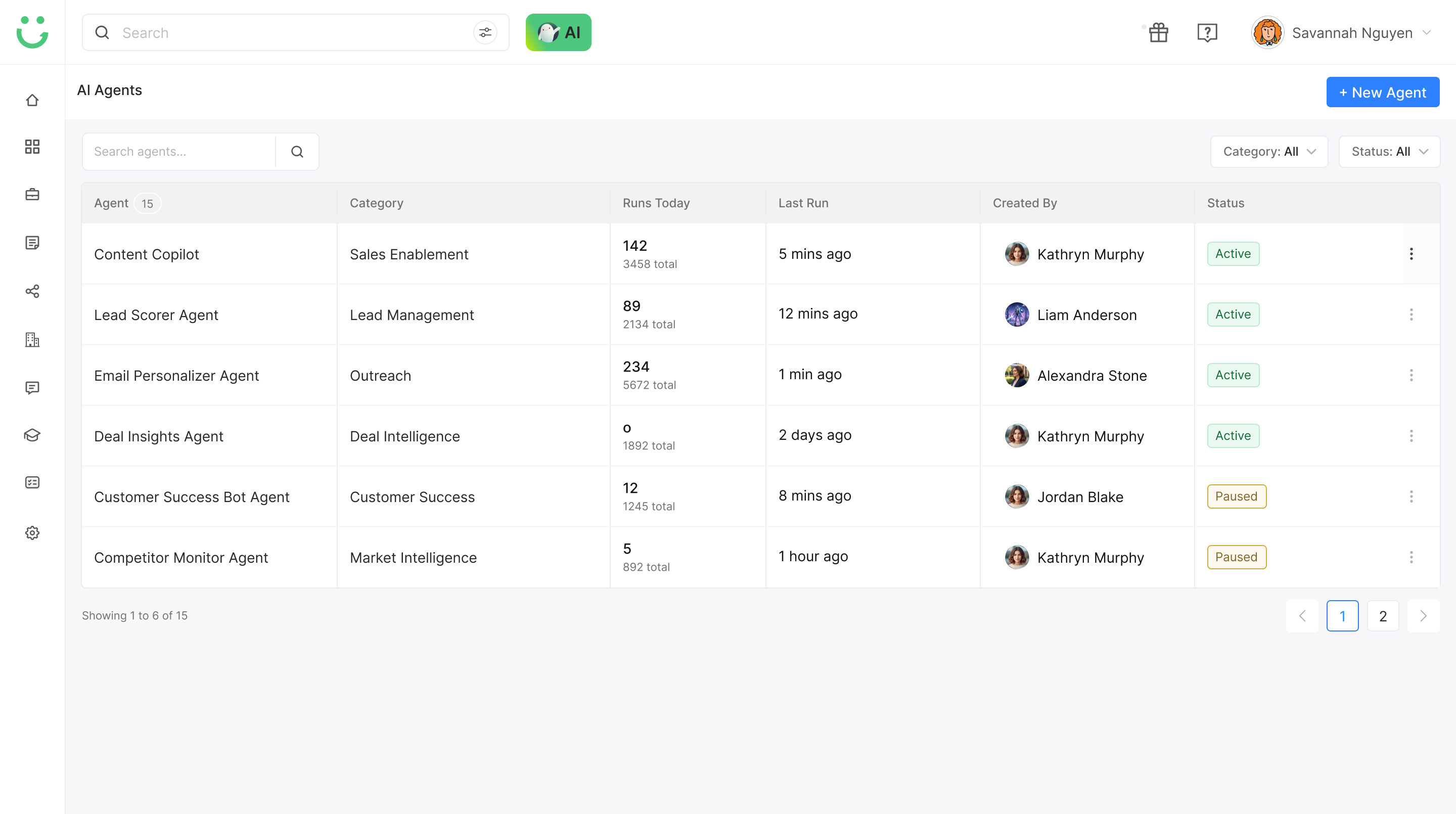
Beyond the core canvas, I explored supporting screens that helped users discover workflows, configure agents, test execution, and understand what happened after the workflow ran.
These supporting designs helped turn the workflow builder from a canvas-only experience into a complete operating system for creating, testing, and improving agentic workflows.
Impact
40+
Feedback Notes
Collected and incorporated into active iterations
14
Successful Runs
Workflow completions during early testing
62%
Active Testers
From Sales Enablement, CS, and Sales Ops actively tested and gave feedback
3–5 min
Draft Build Time
Average time to build a draft workflow in early testing
The project is still in active iteration, but early testing showed strong interest in guided workflow creation, reusable agents, and visibility into execution - confirming that ARE visibility was the right design bet.
Learnings
AI needs visibility.
Users do not trust automation unless they can understand what happened, why it happened, and what to fix. Visibility is not a nice-to-have in agentic systems - it is the product.
A blank canvas is intimidating.
Templates and AI suggestions are not shortcuts - they reduce decision fatigue and help users build with confidence. The best starting point is always a structured example, not an empty space.
Control matters in agentic UX.
When AI can act automatically, users need preview, pause, edit, and rollback options before they feel safe using it. Autonomy without control creates anxiety, not efficiency.
Reasoning is a UX layer.
ARE is not only a backend capability - it needs to show up in the interface through suggestions, logs, explanations, and confidence signals. If the reasoning is invisible, the product feels like a black box.
Next Project
Designing Agentic Workflow Builder taught me that AI-first products need more than automation. They need visibility, control, and trust at every step.
AI Role-Play - Practice Before the Call, Close After →